
On this page
01. What the SDK is02. Try the easy fix first03. Register the DLL by hand04. Antivirus05. Still failing06. Get help07. A typical scenario08. Common mistakes09. Quick checklist10. Frequently asked questions
Run the software installer again as administrator and allow the SDK, or register zkemkeeper.dll with regsvr32 from an elevated Command Prompt. Use the 32-bit version of regsvr32 on 64-bit Windows if the software is 32-bit.
Key takeaways
- The SDK is separate from the main program.
- Run as administrator.
- Allow it through antivirus.
- Reboot after installing.
01What the SDK is
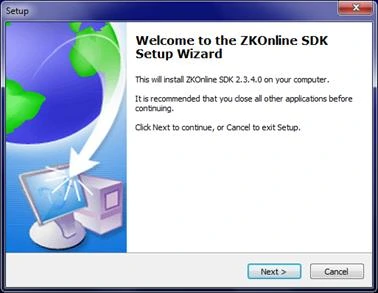
The ZKTeco communication SDK (including zkemkeeper.dll) lets the PC software talk to terminals. If it is missing or not registered, the program cannot connect.
02Try the easy fix first
- Uninstall the software.
- Restart the PC.
- Reinstall as administrator and tick the SDK components.
- Allow it when Windows or antivirus asks.
03Register the DLL by hand
- Open Command Prompt as administrator.
- Go to the folder that holds zkemkeeper.dll (often inside the SDK or program folder).
- Run
regsvr32 zkemkeeper.dll. - You should see a success message.
- On 64-bit Windows with 32-bit software use
C:\Windows\SysWOW64\regsvr32.exe zkemkeeper.dll.
04Antivirus
Some antivirus programs quarantine the DLL. Restore it and add an exclusion.
05Still failing
See .NET errors and Connect to Terminal failed.
06Get help
Send us a screenshot of the error. message us on WhatsApp.
07A typical scenario
After a Windows update, a PC could not connect. Re-registering zkemkeeper.dll with regsvr32 as administrator restored communication without reinstalling anything.
Illustrative example based on common cases, not a named customer.
08Common mistakes
- Registering a DLL from a random site.
- Wrong regsvr32 version on 64-bit Windows.
- Not running as administrator.
- Antivirus quarantine ignored.
- Skipping a restart.
09Quick checklist
- Run as administrator
- Reinstall SDK
- Register the DLL
- Check antivirus
- Restart
- Test connection
10Frequently asked questions
Where is zkemkeeper.dll?
Usually in the program or SDK folder created by the installer.
Do I need to register it on every PC?
Yes, on each PC that runs the software.
Does Windows 11 cause this?
Sometimes, if the installer ran without administrator rights.
Is the SDK dangerous?
It is a normal vendor component when obtained from the vendor or dealer.
This guide is part of our ZKTeco K40 and ZKBio Time.Net series. For the full start-to-finish walkthrough with screenshots, read How to Configure a ZKTeco K40 Pro with ZKBio Time.Net.
ZKTeco and ZKBio are trademarks of ZKTeco Inc. Menu names on the K40 Pro and in the software vary slightly by firmware and software version; where yours differ, look for the nearest match. Qyvea is a ZKTeco reseller and installer in Kenya.
