Quick answer
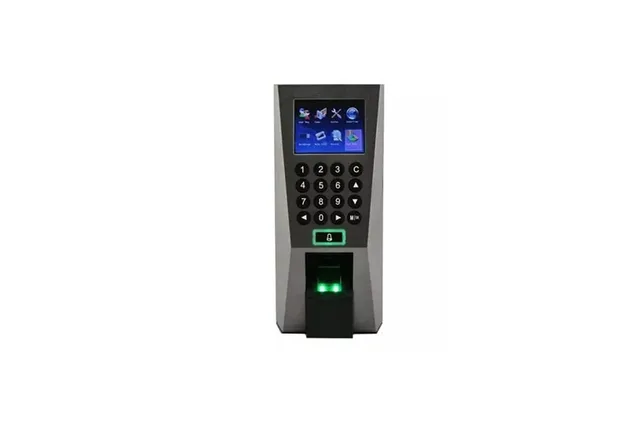
ZKTeco attendance software reads the punches from your machine and turns them into timesheets. You connect the machine over the network (by its IP address) or move data by USB, download users and logs, set departments, shifts and schedules once, then run daily or monthly reports for late arrivals, overtime and absences.
Real products, live prices, in stock now
See the actual productsLive prices from the Qyvea store
Shop all fingerprint products →Key takeaways
- Network link: same network range, device IP and communication key.
- USB: export from the device, import into the software.
- Set shifts and schedules once; reports follow.
- Download logs regularly so nothing is lost.
- Cloud options let HR see attendance from anywhere.
01Connecting the machine
- 01Give the device an IPIn the device's communication settings, on the same network as the PC.
- 02Add the device in the softwareEnter the IP, port and communication key (if one is set).
- 03Test the connectionDownload users and logs to confirm.
- 04No network?Export logs to a USB drive and import them.
02Setting up reports
- Create departments and assign staff
- Define shifts (start, end, grace period, breaks)
- Assign schedules to staff or departments
- Run daily, monthly, late, overtime and absence reports
- Export to Excel for payroll
See shifts, overtime and reports and cloud vs offline attendance.
When to call a professionalMachine locked, not syncing or lost its data? Qyvea services ZKTeco attendance and access devices: resets, admin recovery for the verified owner, software setup and staff re-enrolment, on site or remotely where possible. Call 0113 301 244 or WhatsApp us.
Full walkthroughSetting up a K40 Pro from scratch? Follow our step-by-step ZKBio Time.Net guide with screenshots, or browse all K40 and ZKBio Time.Net guides.
03Frequently asked questions
How do I get attendance from a ZKTeco machine?
Connect it to the attendance software over the network, or export logs to USB, then run reports.
Why won't the software connect?
Usually the PC and device are on different network ranges, or the IP or communication key is wrong.