Your Security System Works Today. Will It Work When You Need It?

Qyvea provides scheduled preventive maintenance for CCTV, access control, electric fencing, automatic gates, fire alarm, networking and solar/backup power in Kenya -- identifying deterioration, faults, wear, power and storage problems before they cause a complete failure.

A working system is not necessarily a healthy system.

Request a Maintenance Assessment

Preventive Maintenance · Scheduled Contracts · Fault Repair · System Upgrades

For companies, institutions & multi-branch businesses

Stop paying for breakdowns. Start preventing them.

One contract for every CCTV, access, fire, fence, gate, network, UPS and solar system across all your sites. Scheduled visits, signed photo reports, priority response and paperwork ready for audits and tenders.

Maintenance contracts by sector

By service

Your System Working Today Doesn't Mean It's Ready for Tomorrow

Most security-system problems don't announce themselves before they happen.

CCTV

A camera can remain online while its storage is failing.

Biometrics

A biometric reader can power on while communication is becoming unreliable.

Electric Fence

An electric fence can look intact while its performance has deteriorated.

Automatic Gate

A gate can continue operating while components are wearing down.

By the time the failure becomes obvious, the underlying problem may have been developing for weeks or months.

Preventive maintenance is about finding those developing problems while there is still time to act.

You didn't invest in CCTV, access control, perimeter security, gates and networking just to have them installed. You invested in them to perform when they are needed.

Regular maintenance helps keep that investment operational.

Still Working Isn't the Same as Healthy

Camera shows a live image
Recording may already have stopped
Biometric reader powers on
Access events may be failing to log
Electric fence looks intact
Voltage may already be inadequate
Gate still opens
Mechanical components may be wearing toward failure
Fire panel appears normal
Individual devices or backup power may need attention
Network seems fine
Intermittent faults may already affect connected systems

Waiting Until Something Breaks Is Not Maintenance

Maintenance is not something you call for after a system fails. It's something you schedule so failures are caught before they happen.

Reactive (Waiting for Failure)
  • Something fails
  • Client notices
  • Downtime
  • Emergency call
  • Diagnosis
  • Repair
  • Possible business disruption
Preventive (Scheduled Maintenance)
  • Scheduled inspection
  • Early detection
  • Maintenance
  • Corrective action
  • Verification
  • Documented condition
  • Fewer avoidable surprises
CCTV

The camera may still display a live image, but if the NVR storage has failed, footage may not be available when an incident occurs.

Access Control

A reader may appear operational while a door lock, exit button, controller or backup battery is developing a fault.

Electric Fence

The fence may look physically intact while voltage has dropped because of a damaged conductor, insulator, vegetation contact, grounding issue or energizer problem.

Automatic Gate

A gate may still operate while rollers, guides, limit mechanisms, motors or control components are experiencing wear.

Visible operation does not always mean the entire system is healthy.

What Preventive Maintenance Actually Means

Qyvea periodically inspects, tests, cleans, checks, verifies and documents system components before faults become major failures -- not just "cleaning cameras." The exact checklist depends on what's installed.

Inspection
Functional testing
Cleaning
Alignment
Connection checks
Power checks
Backup power checks
Network checks
Storage checks
Configuration verification
Firmware review where appropriate
Environmental inspection
Component wear inspection
Alarm testing
Access testing
Recording verification
Documentation & recommendations

Every System, Maintained Properly

Tap a system to see why preventive maintenance matters for it, what we check, and what to watch for.

CCTV & Video Surveillance
A live image doesn't confirm recording is working.
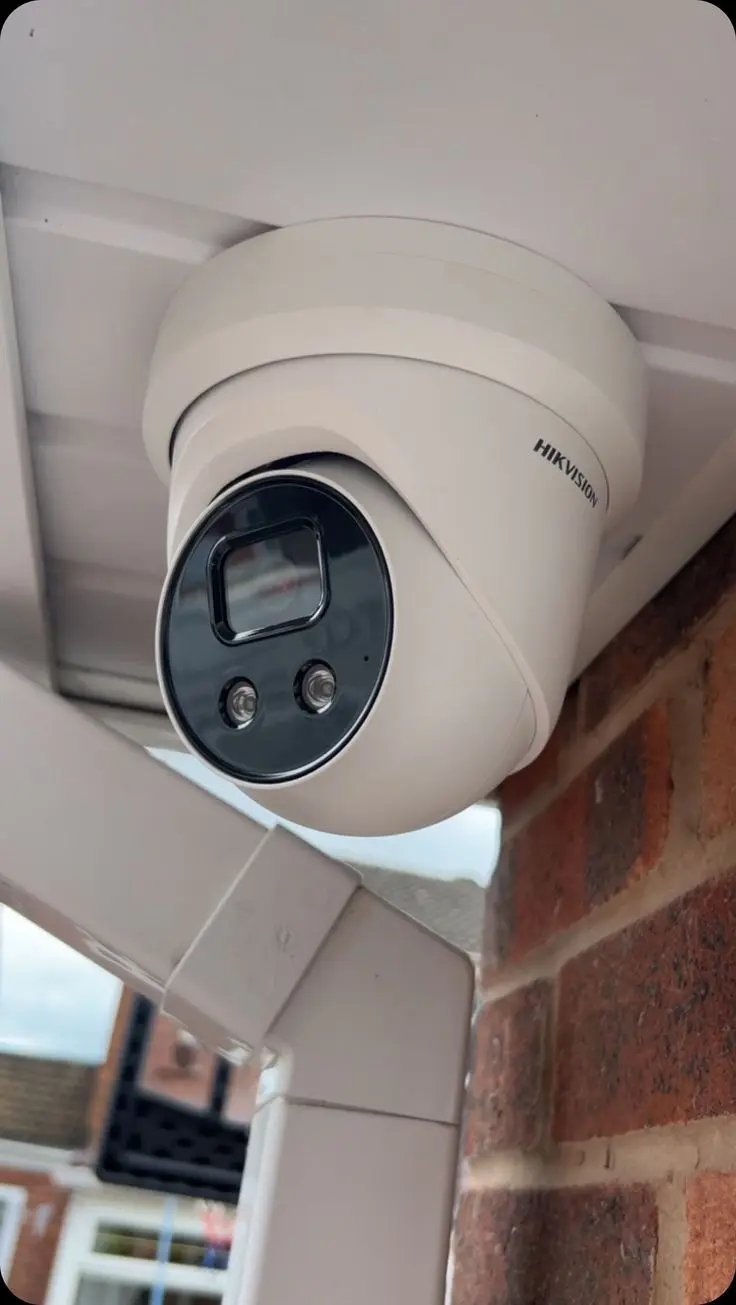
Hikvision CCTV camera installed on-site

What We Check

  • Image quality, focus & alignment
  • Lens cleaning & housing condition
  • Night vision / IR operation
  • Water/moisture exposure
  • Cables, connectors & PoE power
  • Network connectivity
  • NVR/DVR & hard-drive health
  • Recording & playback verification
  • Retention/storage availability
  • Date/time accuracy, motion detection & alerts
  • Remote viewing & user access
  • Blind spots & physical damage

Early Warning Signs

  • Image becoming unclear
  • Intermittent camera disconnections
  • Recording gaps or storage warnings
  • Remote viewing becoming unreliable

If Ignored

  • Footage may be unavailable exactly when an incident occurs
  • Small storage or connection faults can grow into full system failure
Access Control & Biometrics
A reader can look fine while events aren't being logged.
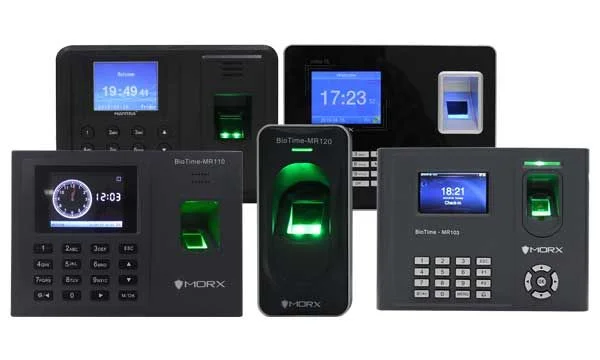
Biometric fingerprint access control terminal

What We Check

  • Fingerprint & facial recognition readers
  • Card readers & controllers
  • Magnetic locks & electric strikes
  • Exit buttons, door contacts & closers
  • Power supplies & backup batteries
  • Communication between devices & software
  • Access schedules, user database & permissions
  • Event logs

Early Warning Signs

  • Doors failing to unlock/lock consistently
  • Repeated access-control errors
  • Reader becoming slower or inconsistent

Worth Doing Regularly

  • Periodically review users and remove access belonging to people who no longer require it
Time Attendance Systems
Attendance records need to stay reliable and available.
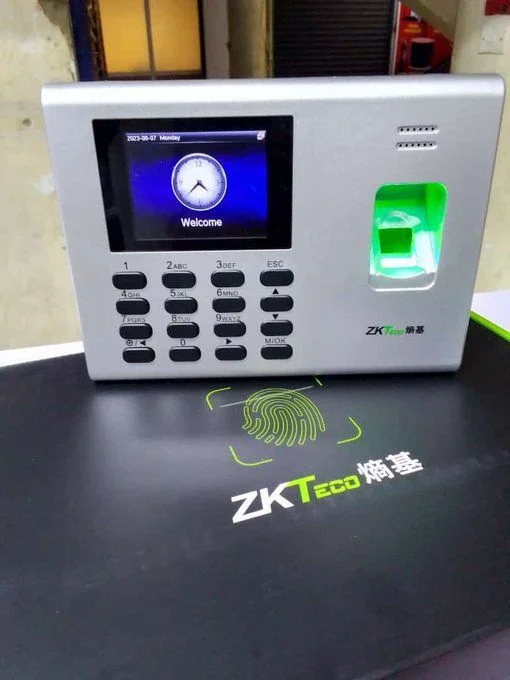
Biometric time and attendance terminals

What We Check

  • Reader reliability & biometric sensor condition
  • User enrollment
  • Attendance data & database health
  • Communication & synchronization with software
  • Date/time accuracy
  • Backup & device configuration

Why It Matters

  • Maintenance helps ensure attendance records remain reliable and available when required, not just at the moment of clocking in
Electric Fencing
Physical appearance doesn't prove the fence is working.
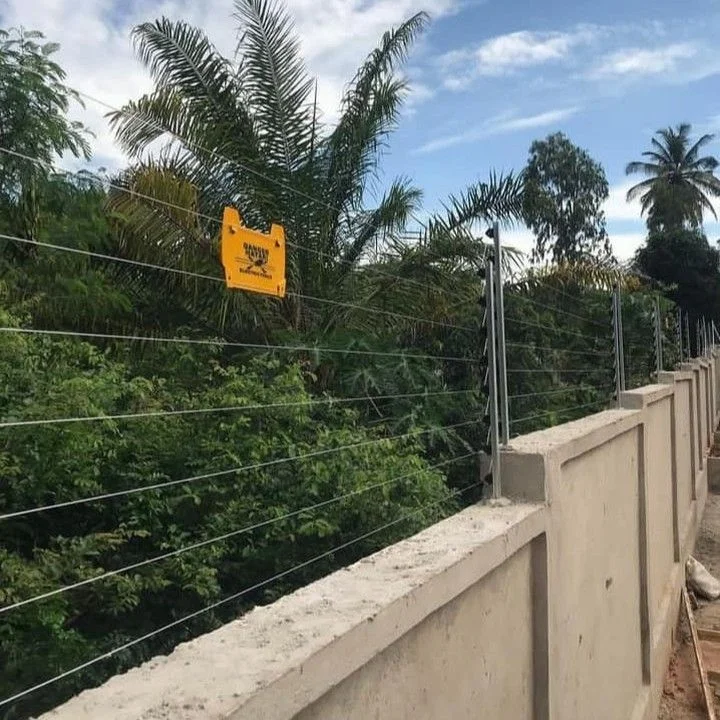
Electric perimeter fence installed on a boundary wall

What We Check

  • Energizer condition & voltage
  • Conductors, wire tension & insulators
  • Vegetation contact & grounding
  • Battery/backup power
  • Surge/lightning protection
  • Alarm output, siren & fence zones
  • Physical damage, corrosion & connections

Early Warning Signs

  • Nuisance alarms
  • Low fence voltage

If Ignored

  • Early detection can prevent small faults from becoming larger perimeter-security problems
Automatic Gates & Gate Automation
Wear develops long before a gate actually stops.
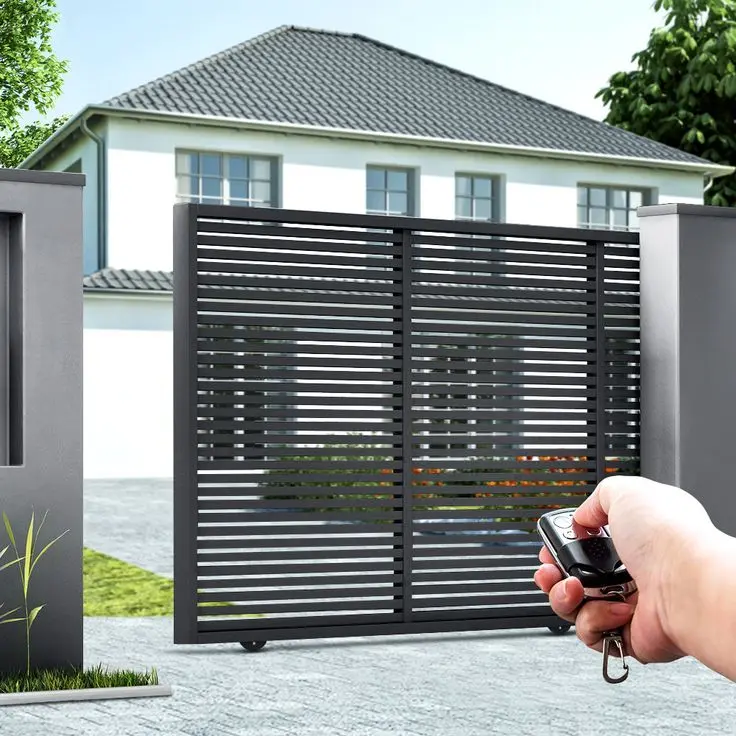
Automatic sliding gate with remote control

What We Check

  • Motors, gearboxes, rollers & guides
  • Chains/racks where applicable
  • Limit switches & control boards
  • Photocells & safety devices
  • Remotes & wiring
  • Backup batteries
  • Mechanical alignment & movement

Early Warning Signs

  • Gate becoming slower
  • Unusual noise
  • Excessive resistance

Worth Remembering

  • Waiting until the gate stops moving can turn a developing mechanical issue into an urgent repair
Fire Alarm Systems
It may sit unused for months, then be needed in an emergency.
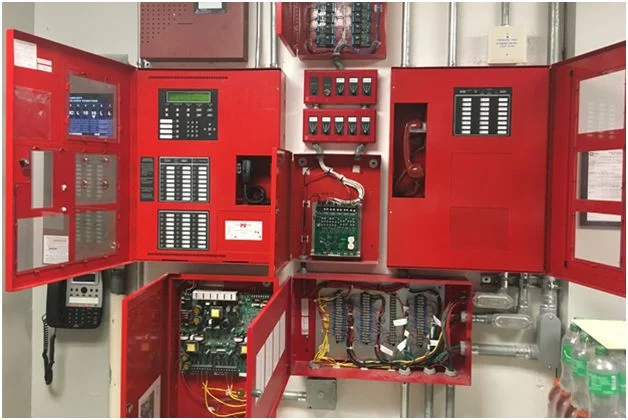
Fire alarm control panel with wiring

What We Check

  • Control panel & zones
  • Detectors & manual call points
  • Sounders & indicators
  • Batteries & power supply
  • Fault indications & connections
  • System testing & device condition

Early Warning Signs

  • Panel showing faults
  • Devices requiring attention on a check

Worth Knowing

  • Maintenance should also follow applicable manufacturer requirements, site requirements and relevant standards/regulatory obligations, where these apply to your site
Networking & IT Infrastructure
Many "CCTV problems" are actually network problems.
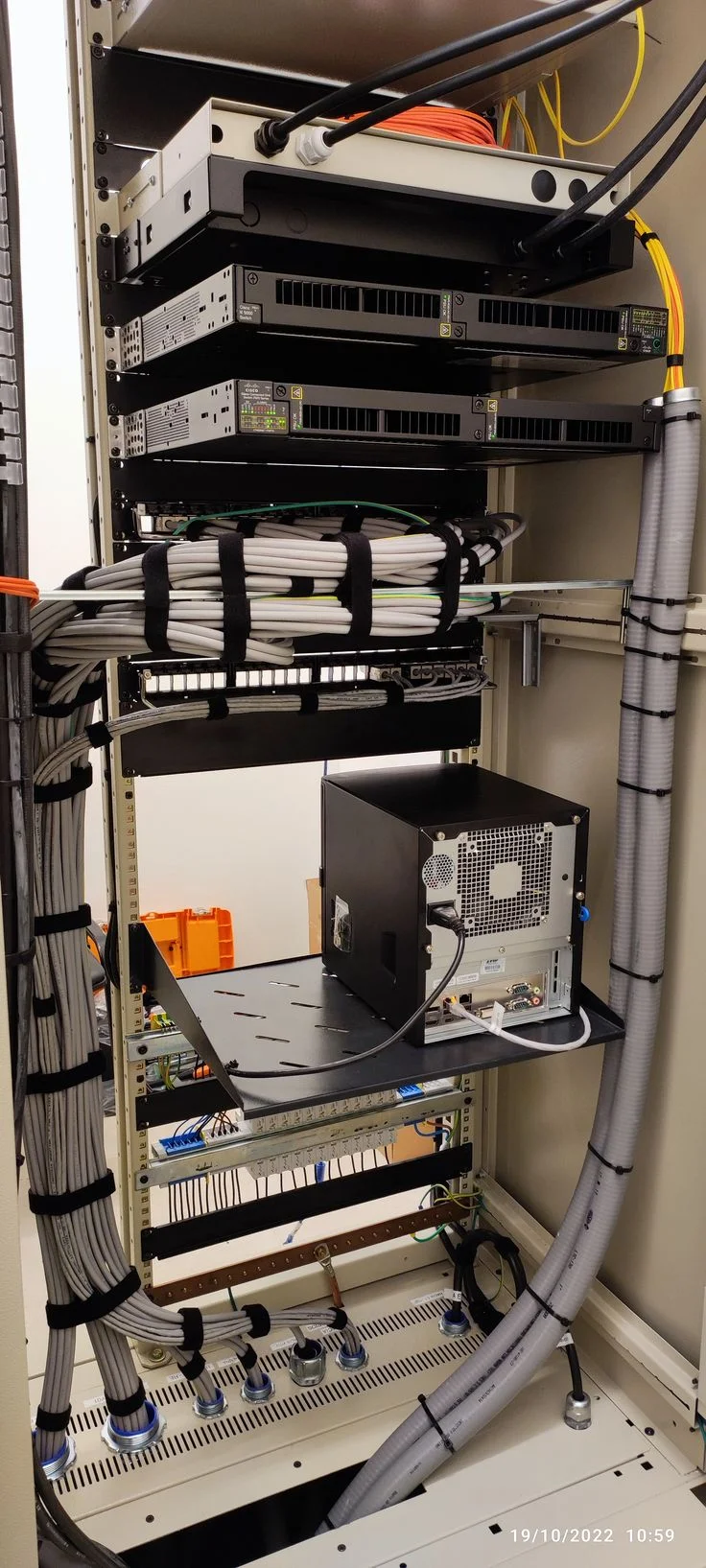
Network rack with switches and structured cabling

What We Check

  • Switches & PoE
  • Network cables & patching
  • IP connectivity & equipment communication
  • Rack condition & power
  • Connected security devices
  • Access points where applicable
  • Remote connectivity

Early Warning Signs

  • Network devices intermittently disconnecting
  • Network-related faults on CCTV or access control that keep recurring
Solar & Backup Power Systems
Backup power should be tested before an outage, not during one.
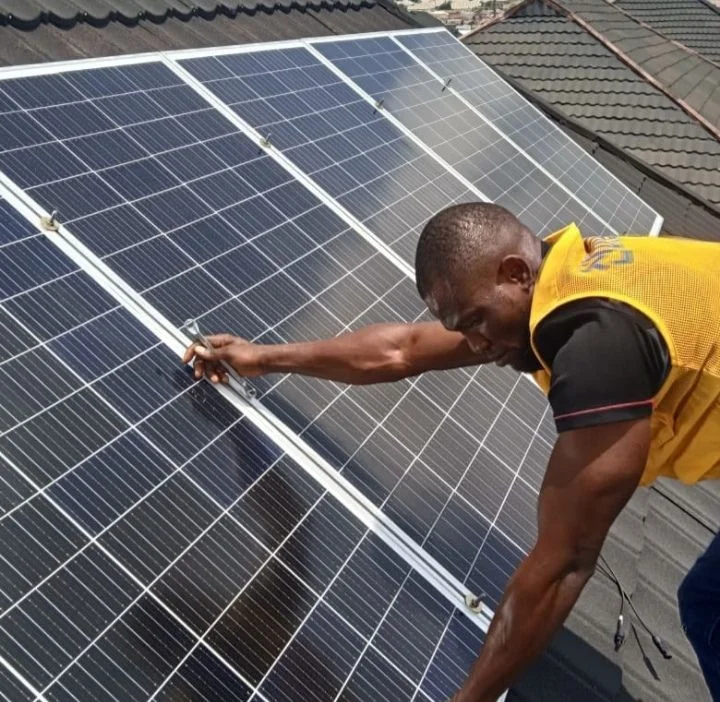
Technician installing solar panels on a rooftop

What We Check

  • Solar equipment & battery condition
  • Inverter & charge controller where applicable
  • Connections & changeover systems
  • Cabling & protection devices
  • System performance & physical/environmental condition

Early Warning Signs

  • Backup power not lasting as expected
  • Batteries approaching end of service life
  • Repeated power-related faults
Intercom / Communication Systems
Door-release wiring wears with constant daily use.
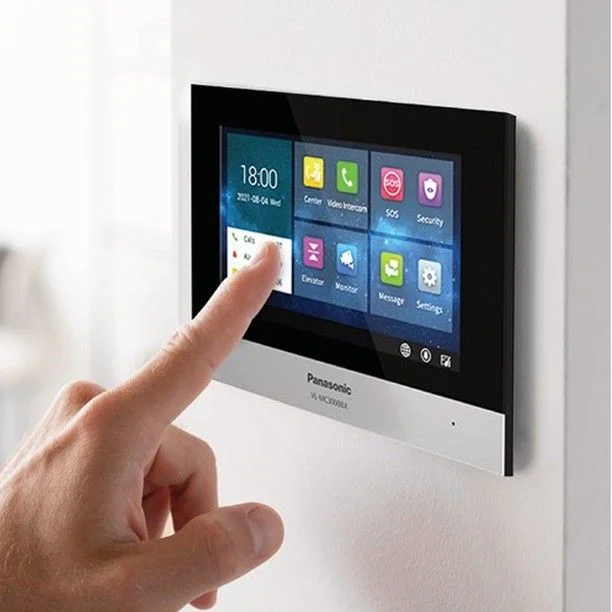
Video intercom panel mounted on a wall

What We Check

  • Audio/video intercom function
  • Door-release operation
  • Wiring between panel and handset
Other Integrated Security Systems
Systems working together need to be checked together.
Building management system control panel wiring

What We Check

  • Integration points between systems (e.g. CCTV triggered by access control or alarms)
  • Building management system (BMS) links where installed
  • Shared power, network or control infrastructure

Your System May Be Asking for Maintenance

These symptoms should not simply be reset and ignored. Repeated symptoms can indicate an underlying problem that deserves inspection.

Camera image becoming unclear
Intermittent camera disconnections
Recording gaps or storage warnings
Remote viewing becoming unreliable
Biometric reader slower or inconsistent
Doors failing to unlock/lock consistently
Repeated access-control errors
Electric fence nuisance alarms
Low fence voltage
Gate becoming slower or noisier
Fire alarm showing faults
Network devices intermittently disconnecting
Backup power not lasting as expected
Batteries approaching end of service life
Repeated power-related faults

Why Maintain Something That's Still Working?

Because maintenance is about keeping it working.

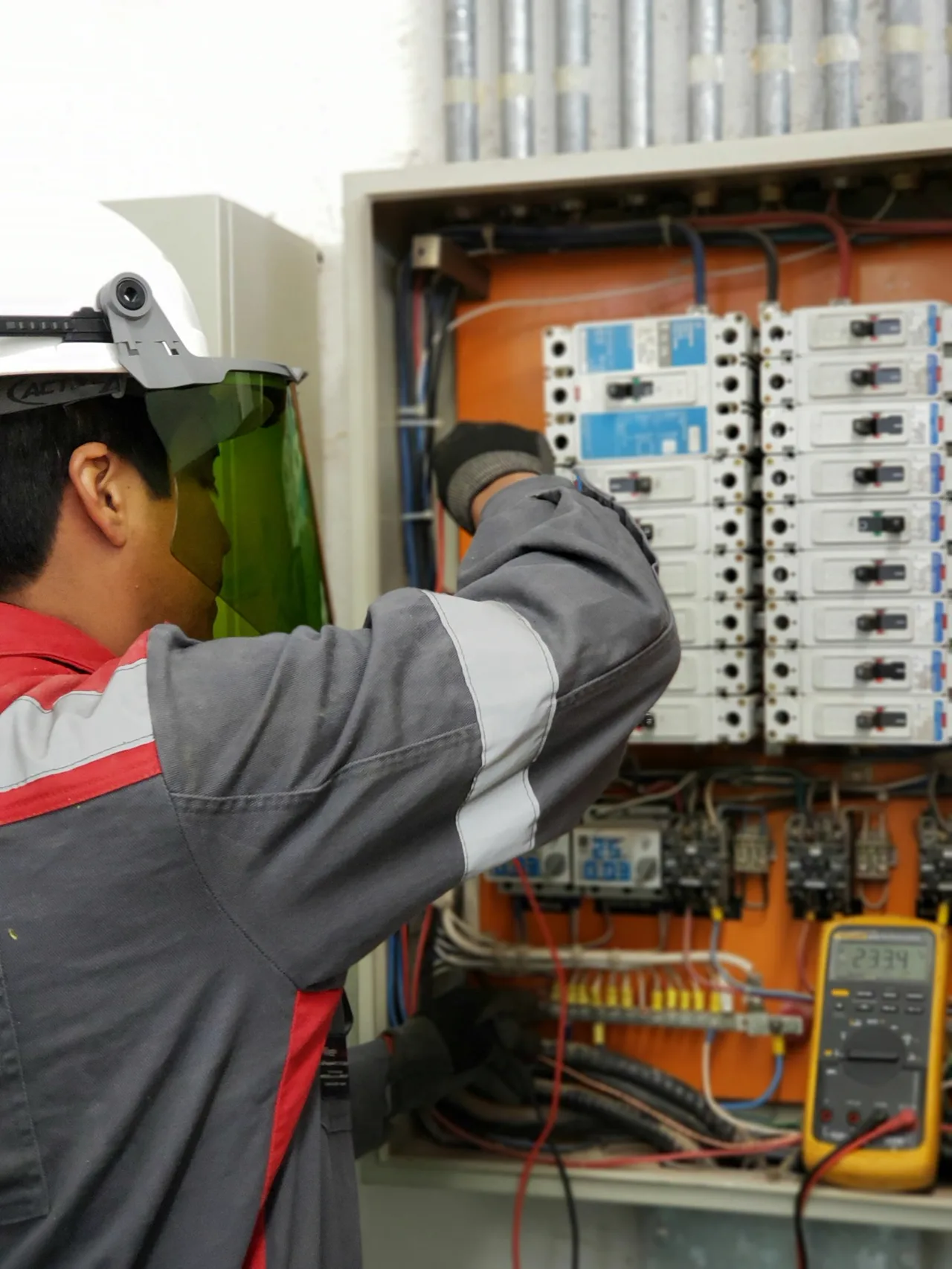
Technician testing an electrical distribution panel
You service a vehicle before the engine fails.
You service equipment before it becomes unusable.
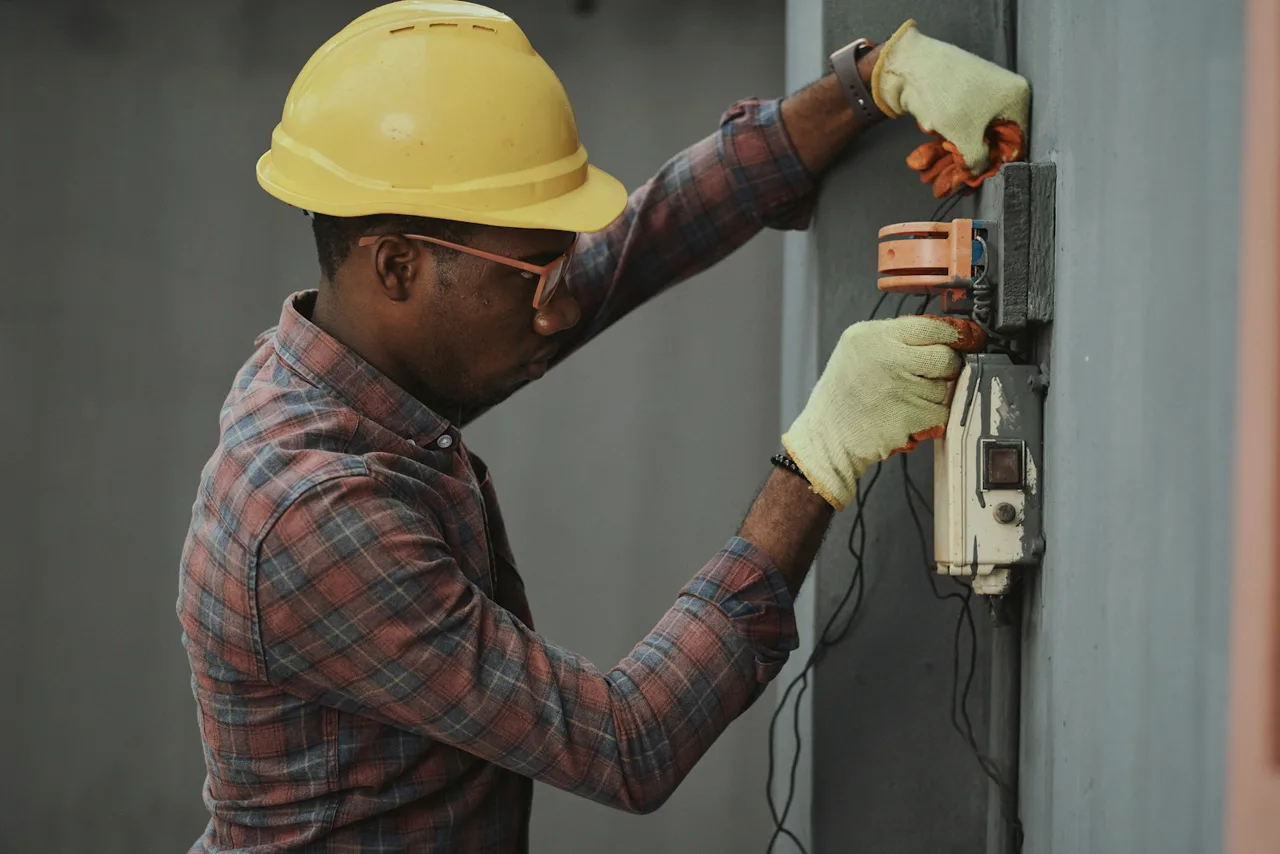
You inspect electrical systems before a fault causes disruption.
Security systems deserve the same approach.

The objective is not to wait for failure. The objective is to continuously verify that the system remains capable of doing its job.

The Cost of "It's Working Fine"

"The cameras are working."

But is every camera recording? Is storage healthy? Are there recording gaps? Can you retrieve footage?

"The gate is working."

But is the motor operating normally? Are safety sensors working? Is mechanical wear developing?

"The biometric is working."

But are all users syncing? Is the database healthy? Is the backup power reliable?

"The fence is working."

But has the voltage been checked throughout the perimeter?

Preventive maintenance asks questions that simply switching the system on cannot answer.

Repair, Prevent or Contract

What you need depends on whether something is broken right now, or you'd rather it never gets that far.

01 · ALREADY BROKEN

Fault Repair

For systems that are already malfunctioning right now.

  • Camera offline
  • Gate won't open
  • Biometric stopped recognizing users
  • Electric fence has no output
  • Fire alarm showing a fault
  • Network has gone down
02 · RECOMMENDED

Preventive Maintenance

For systems that work today but benefit from scheduled inspection before something fails.

  • Physical inspection & cleaning
  • Connection & power checks
  • Battery & storage checks
  • Network checks
  • Configuration & firmware checks where applicable
  • Functional testing & maintenance report
Schedule Maintenance
03 · ONGOING SUPPORT

Maintenance Contracts

For businesses, schools, estates and other properties that want a standing arrangement rather than calling only when something breaks.

  • Scoped to number of devices & systems
  • Scoped to number of locations
  • Agreed visit frequency
  • Agreed response arrangement
  • Preventive + corrective coverage
Request a Maintenance Plan

Don't Wait for a Security Failure to Call Your Technician

Instead of calling only when something stops working, put your systems on a scheduled maintenance programme. Qyvea can establish a recurring maintenance arrangement covering the systems installed at your property, with the inspection frequency determined by the equipment, environment, usage and operational requirements.

The objective is simple: identify developing problems early, maintain system performance and deal with issues before they become avoidable emergencies.

Monthly
Regular inspections and operational checks for systems or sites requiring close monitoring.
Quarterly
Periodic preventive servicing suited to many commercial environments.
Biannual
Scheduled deeper inspections where appropriate for the site.
Annual
Comprehensive system review where a full annual check is suitable.

We don't publish fixed prices for contracts -- the right scope and frequency depend on your site, so we assess first and provide a written, itemised quote.

The Value of a Recurring Arrangement

Scheduled visits
Preventive inspection
Early fault identification
Priority attention where contract terms provide for it
Maintenance records
Service reports
Recommendations
Planned corrective work
System condition tracking
Predictable maintenance planning

How a Maintenance Engagement Runs

01

Assess

Understand the installed system and site.

02

Inspect

Physical condition, connections, environment, components.

03

Test

Test actual operation instead of assuming it works.

04

Identify

Document developing faults, deterioration and risks.

05

Service

Clean, adjust, configure and perform approved work.

06

Verify

Retest the system after maintenance.

07

Report

Provide findings and recommendations.

08

Plan

Identify future maintenance or replacement needs.

A Maintenance Visit Leaves You With Something

Where applicable, the service report can document:

Equipment inspected
Condition observed
Tests performed
Faults found
Maintenance performed
Components requiring attention
Recommendations
Photographs where appropriate
Next recommended action

We Didn't Install It? That's Fine.

Your system does not have to have been installed by Qyvea for us to assess its condition. Security and IT systems change hands, the original installer may no longer be around, and configurations drift from what was originally set up. None of that means the system is beyond help.

We inspect the existing installation on its own merits and tell you honestly whether it can be:

  • Repaired as-is
  • Reconfigured
  • Upgraded in part
  • Partially replaced
  • Fully replaced, if that's genuinely the sensible option

We can't promise every third-party system is repairable sight unseen -- some equipment really is past its useful life -- but we assess before we conclude that, not before.

Preventive vs. Corrective

Preventive
  • Scheduled
  • Planned
  • Inspection
  • Testing
  • Early detection
  • Maintenance
  • Documentation
  • Planned replacement
Corrective
  • Unexpected fault
  • Downtime
  • Emergency response
  • Diagnosis after failure
  • Urgent repair
  • Possible disruption

Preventive maintenance reduces avoidable failures and helps identify issues early -- it doesn't eliminate corrective maintenance. Equipment can still fail unexpectedly.

What Maintenance Can't Do

Maintenance cannot guarantee that equipment will never fail. Electronic and mechanical components can fail unexpectedly. However, proper preventive maintenance helps identify deterioration, verify operation, and reduce the likelihood of avoidable failures.

Does Your System Need Replacing Or Just Repairing?

A fault doesn't automatically mean the whole installation needs replacing. We assess first, then recommend one of these.

Repair

Restore the existing equipment where that's practical and cost-effective.

Upgrade

Replace the specific components that have failed or are outdated, while keeping the usable infrastructure (cabling, mounts, power) in place.

Replace

Recommended where equipment is obsolete, damaged beyond practical repair, or genuinely incompatible with what the site needs now.

Properties We Support

Not every system applies to every property -- this is the general range per property type.

Apartments Private Homes

Common questions about preventive maintenance

Why should I maintain a CCTV system that is working?

Because a camera can still display a live image while recording has stopped, storage has failed, or motion alerts are no longer working. Visible operation doesn't confirm every part of the system is functioning as intended — maintenance verifies that.

How often should security systems be maintained?

It depends on the equipment, environment, usage and risk. Some sites are well served by quarterly or biannual visits; higher-risk or heavily used sites often prefer monthly. We recommend a frequency after assessing your site rather than applying one schedule to everyone.

What is the difference between preventive and corrective maintenance?

Preventive maintenance is scheduled inspection and testing to catch developing problems early. Corrective maintenance is the repair work done after something has already failed. Preventive maintenance reduces avoidable failures, but it doesn't eliminate the possibility of an unexpected fault.

Can you maintain a system you did not install?

Yes. Your system does not need to have been installed by Qyvea for us to assess its condition and take over maintenance, where the equipment allows.

Does CCTV maintenance include checking recording?

Yes. We verify actual recording and playback, not just whether the camera shows a live image, since the two can fail independently of each other.

Can you check CCTV storage/HDD health?

Yes, checking storage and hard-drive health and retention availability is part of a CCTV maintenance visit.

What does access-control maintenance involve?

Testing readers, locks, exit buttons and controllers, checking backup batteries and communication, and reviewing the user database and access permissions — not just fixing a fingerprint scanner that has stopped working.

Why does an electric fence need maintenance?

A fence can look physically intact while voltage has dropped because of a damaged conductor, vegetation contact, a grounding issue or an energizer problem. Physical appearance alone doesn't confirm the fence is operating correctly.

What happens during automatic gate maintenance?

We check the motor, gearbox, rollers, guides, limit switches, control board, photocells, safety devices and backup battery, and look for wear, unusual noise or excessive resistance before it turns into a full stoppage.

Should backup batteries be tested?

Yes. Backup power should be tested before it's needed, not discovered to be faulty during an actual outage.

Can maintenance identify problems before equipment fails?

That's the purpose of preventive maintenance — identifying developing faults early so corrective work can be planned before a minor issue becomes a major failure. It reduces the likelihood of unexpected failures; it can't guarantee equipment will never fail.

Do businesses need maintenance contracts?

Many businesses benefit from one, particularly where downtime is costly or the site has several integrated systems. The right approach depends on your site — we can advise after an assessment rather than assuming every business needs the same arrangement.

Can Qyvea maintain multiple systems at one site?

Yes. A single maintenance arrangement can cover CCTV, access control, electric fence, gates, fire alarm, networking and solar/backup power together, rather than needing a separate contractor for each.

Can Qyvea assess an existing installation before taking over maintenance?

Yes — we assess the existing equipment and its condition first, and tell you honestly what we find, before any maintenance or corrective work is agreed.

What happens if a fault is found during preventive maintenance?

We document it, explain what we found, and recommend the appropriate corrective action — repair, a component upgrade, or replacement — so it can be planned and approved rather than turning into an emergency.

Can you maintain Hikvision systems specifically?

Yes — Hikvision is one of the brands our team is trained on directly (see our Hikvision Spark Program certification on the About page). We also assess other common brands sold in Kenya case by case.

Don't Wait Until It Fails. Schedule Maintenance.

Tell us what systems you have and where the site is. We'll recommend a maintenance approach based on your equipment, environment and usage -- not a one-size-fits-all schedule.

Tell Us What's Wrong
Assessment before recommendation
Any installer, assessed first
Nairobi & beyond
4.6★ on Google (57 reviews)
Chat with us — 30 min response