
Biometrics & Attendance · Guide

How to Add a User on a ZKTeco Machine

Enrol a new employee correctly so their punches always match in reports.

If two people can clock in for one, your payroll is a guess.

Read on: it takes a few minutes and could save you a lot more than that.

In this guide you will see:
  • Use a unique user ID that matches payroll.
  • Enrol at least two fingers per person.
  • Press each finger flat, several times.
By Qyvea LimitedPublished 2026-10-03Updated 2026-10-032 min read
On this page01. Steps02. FAQ
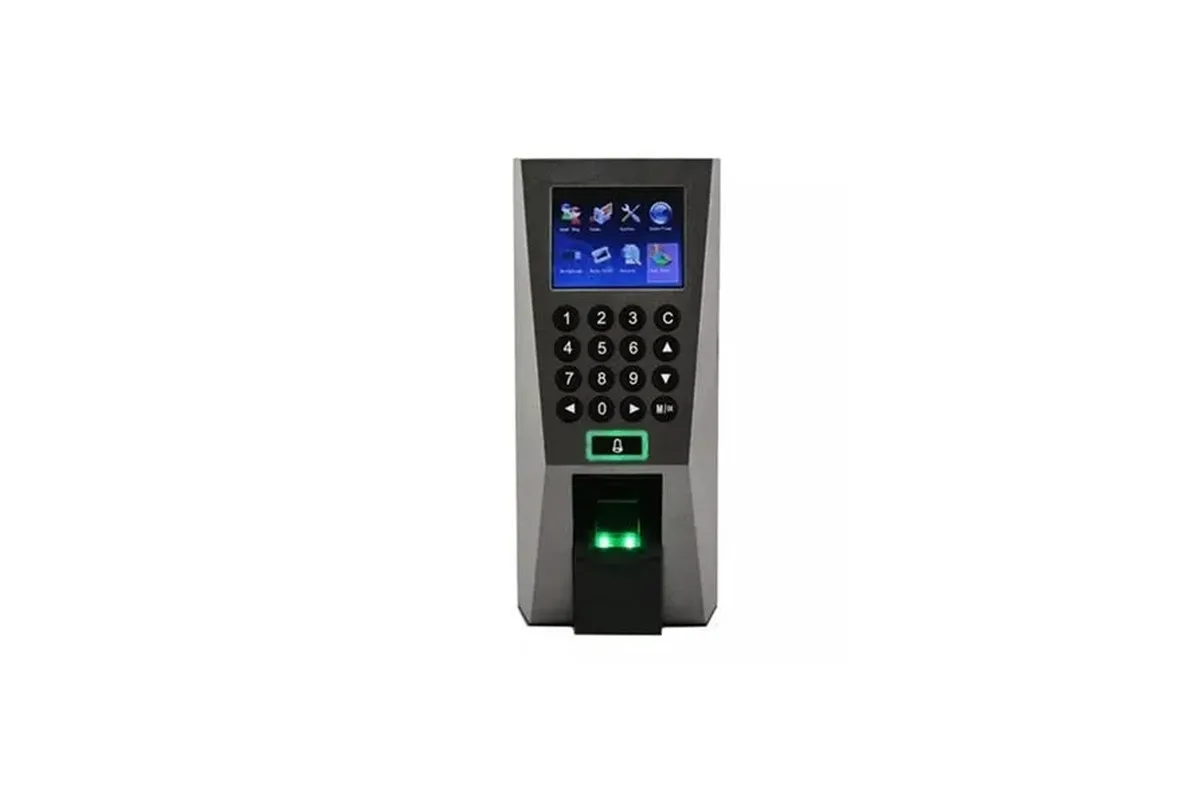
ZKTeco F18
Quick answer

New users are added from the device's User Management menu: give each person a unique user ID (match your payroll number), enter their name, then enrol two or more fingerprints, a face, a card or a PIN. Keep the user as Normal unless they need admin rights, and sync to the attendance software so reports show the right name.

Real products, live prices, in stock now
See the actual productsLive prices from the Qyvea store
Shop all fingerprint products →

Key takeaways

  • Use a unique user ID that matches payroll.
  • Enrol at least two fingers per person.
  • Press each finger flat, several times.
  • Normal user unless they must manage the device.
  • Sync to the software after enrolling.

01Steps

  1. 01
    Open User ManagementMenu, then User Mgt (names vary by model).
  2. 02
    New userEnter user ID and name.
  3. 03
    Enrol fingerprintsPlace each finger flat as prompted; enrol a backup finger.
  4. 04
    OptionalAdd face, card or PIN.
  5. 05
    Set roleNormal user or administrator.
  6. 06
    SyncUpload users to the attendance software.
TipWorkers with worn fingerprints (construction, cleaning) often scan better with a face or card. See fingerprint vs face.

02Frequently asked questions

How many fingerprints should I enrol?

At least two per person, so a cut or dirty finger doesn't stop them clocking in.

Can I add users from the software?

Yes, many setups add users in software and push them to the device; fingerprints still need enrolling at the device.
Why customers choose Qyvea

Genuine brandsManufacturer warranty on what we sell, so you are not gambling on the box.
One team, start to finishThe people who advise you also install and support it.
Fast answersWhatsApp replies usually within 30 minutes, and delivery within 24 hours in Nairobi.
Easy to buyPay by M-Pesa, bank transfer or card. Free delivery in Nairobi on orders over KES 5,000.
Risk taken off you7-day returns and exchanges on products, and a workmanship warranty on installations.
Customers say soRated 4.6/5 from 57 Google reviews.

Your next step takes one minute: send us a photo of the place on WhatsApp and we will tell you what it needs.

Related articles

Biometrics & Attendance · Troubleshooting
ZKTeco F18 Fingerprint Not Working? Fixes
Fingers not recognised, 'please try again' or a machine that won't respond: what to check.
2 min readREAD FULL ARTICLE →
Biometrics & Attendance · Guide
How to Connect and Use ZKTeco Attendance Software
Link the machine, download punches, set shifts and print the reports HR needs.
2 min readREAD FULL ARTICLE →
Biometrics & Attendance · Troubleshooting
ZKTeco Forgot Admin Password: Getting Back Into the Machine
When the menu asks for an admin you don't have: your options without losing your records.
2 min readREAD FULL ARTICLE →
← PreviousCloud vs Offline Attendance SystemsNext →How to Choose a Biometric Attendance Device

Need this system installed?

Talk to Qyvea. We design, install and maintain it.

Chat with us — 30 min response