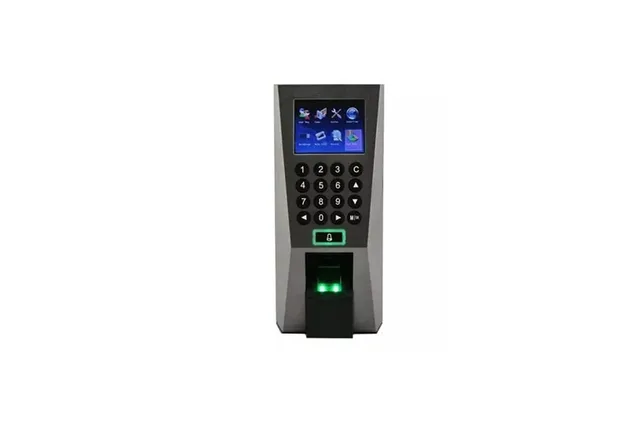
Quick answer
'Reset' can mean four different things on a ZKTeco machine: a simple restart, restoring settings, deleting users or attendance logs, or a full factory reset. Only a restart is harmless. The others can delete fingerprints and records, so back up users and logs to a USB drive or the attendance software first. The options are in the System (or Options) menu and vary by model.
Real products, live prices, in stock now
See the actual productsLive prices from the Qyvea store
Shop all fingerprint products →Key takeaways
- Try a restart first: it fixes many freezes.
- Back up users and logs before any reset.
- A settings reset keeps users on many models; a factory reset doesn't.
- Menu names differ between K40, F18, MB20 and face models.
- Locked out of the menu? See forgot admin password.
01Which reset do you need?
| Reset type | What it does | Data lost |
|---|---|---|
| Restart (power off/on) | Clears a freeze | Nothing |
| Restore / reset settings | Returns settings to default | Settings; users usually kept |
| Delete attendance logs | Clears punch records | Attendance history |
| Delete all users | Removes enrolled staff | Fingerprints, faces, cards |
| Factory reset | Everything back to new | All users, logs and settings |
02Before you reset
- 01Download the logsInto the attendance software, or to a USB drive from the data management menu.
- 02Back up usersExport users and fingerprints so you don't have to re-enrol everyone.
- 03Note network settingsIP address, gateway and device ID so the software can reconnect.
- 04Then choose the resetIn System / Options, pick only the level you need.
WarningA factory reset or 'delete all' cannot be undone without a backup.
03Get help
When to call a professionalMachine locked, not syncing or lost its data? Qyvea services ZKTeco attendance and access devices: resets, admin recovery for the verified owner, software setup and staff re-enrolment, on site or remotely where possible. Call 0113 301 244 or WhatsApp us.
04Frequently asked questions
Will resetting a ZKTeco machine delete fingerprints?
A factory reset or 'delete all users' will; a restart won't, and a settings reset usually keeps users. Back up first.
Where is the reset option?
In the System or Options menu; the exact name and location differ by model and firmware.
I can't open the menu. What now?
An administrator password may be set; see forgot admin password, or ask us to recover it for you.