Biometrics & Attendance · Troubleshooting

ZKTeco Forgot Admin Password: Getting Back Into the Machine

When the menu asks for an admin you don't have: your options without losing your records.

A fault you work around is a fault that gets worse.

Read on: it takes a few minutes and could save you a lot more than that.

In this guide you will see:
  • The menu only opens for an enrolled admin.
  • Connected attendance software can often clear admin privileges.
  • Otherwise a supplier or ZKTeco partner recovers it for the owner.
By Qyvea LimitedPublished 2026-10-03Updated 2026-10-032 min read
On this page01. Your options02. Prevent it next time03. FAQ
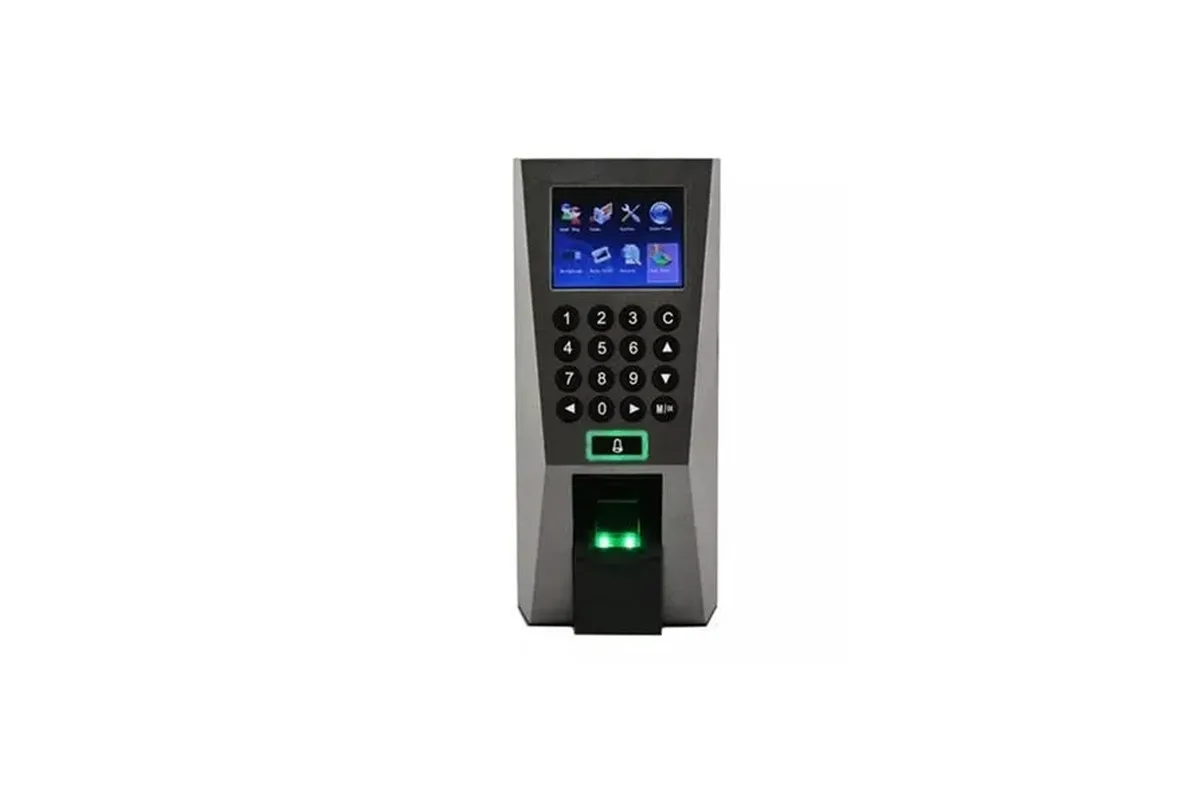
ZKTeco F18
Quick answer

When a ZKTeco machine has an administrator set, the menu only opens for that admin's fingerprint, card or password. If the admin has left or the password is forgotten, access is usually recovered through the attendance software connected to the device (which can clear admin privileges) or by the supplier or a ZKTeco partner for the verified owner. Avoid steps that wipe the device unless you have a backup.

Real products, live prices, in stock now
See the actual productsLive prices from the Qyvea store
Shop all fingerprint products →

Key takeaways

  • The menu only opens for an enrolled admin.
  • Connected attendance software can often clear admin privileges.
  • Otherwise a supplier or ZKTeco partner recovers it for the owner.
  • Don't factory reset without a backup.
  • Enrol at least two admins in future.

01Your options

SituationOption
Another admin still works hereThey log in and set a new admin
Machine is connected to your attendance softwareUse the software's device options to clear administrator privileges, then enrol a new admin
No admin and no software linkRecovery by the supplier or a ZKTeco partner, with proof of ownership

02Prevent it next time

  • Enrol two administrators (for example HR and IT)
  • Keep the device connected to the attendance software
  • Record the device IP and communication key
  • Back up users monthly
When to call a professionalMachine locked, not syncing or lost its data? Qyvea services ZKTeco attendance and access devices: resets, admin recovery for the verified owner, software setup and staff re-enrolment, on site or remotely where possible. Call 0113 301 244 or WhatsApp us.

03Frequently asked questions

Can I remove the ZKTeco admin without losing data?

Often yes, via the connected attendance software or by a technician, without deleting users and logs.

Why does the machine ask for admin verification?

Because an administrator was set; only that person's fingerprint, card or password opens the menu.


Why customers choose Qyvea

Genuine brandsManufacturer warranty on what we sell, so you are not gambling on the box.
One team, start to finishThe people who advise you also install and support it.
Fast answersWhatsApp replies usually within 30 minutes, and delivery within 24 hours in Nairobi.
Easy to buyPay by M-Pesa, bank transfer or card. Free delivery in Nairobi on orders over KES 5,000.
Risk taken off you7-day returns and exchanges on products, and a workmanship warranty on installations.
Customers say soRated 4.6/5 from 57 Google reviews.

Your next step takes one minute: send us a photo of the place on WhatsApp and we will tell you what it needs.

Related articles

Biometrics & Attendance · Troubleshooting
How to Reset a ZKTeco Attendance Machine
Restart, reset settings, clear data or factory reset: what each does and how to avoid losing staff records.
2 min readREAD FULL ARTICLE →
Biometrics & Attendance · Guide
How to Connect and Use ZKTeco Attendance Software
Link the machine, download punches, set shifts and print the reports HR needs.
2 min readREAD FULL ARTICLE →
Biometrics & Attendance · Guide
How to Add a User on a ZKTeco Machine
Enrol a new employee correctly so their punches always match in reports.
2 min readREAD FULL ARTICLE →
← PreviousZKTeco F18 Fingerprint Not Working? Fixes

Still experiencing the problem?

Qyvea can inspect and diagnose the system on site.

Chat with us — 30 min response