
On this page
01. What licence limits exist02. What to do03. Why not a crack04. Keep records05. Qyvea help06. A typical scenario07. Common mistakes08. Quick checklist09. Frequently asked questions
Check what your licence covers (devices, users, features), contact your supplier for a valid licence or upgrade, and avoid cracks, which risk malware and data loss.
Key takeaways
- Licences limit devices or features.
- Ask the supplier who sold the terminal.
- Avoid cracks.
- Keep the licence file safe.
01What licence limits exist
- Number of devices or terminals.
- Number of employees.
- Feature modules such as cloud or access control.
- Trial period.
02What to do
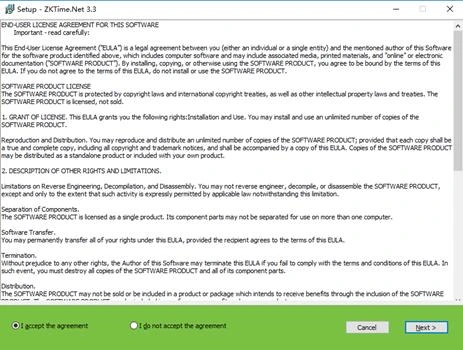
- Open About or Licence in the software and note the details.
- Contact the supplier who sold the terminal with the serial or order details.
- Ask whether you need an upgrade for more devices.
- Apply the licence they send.
03Why not a crack
Cracked copies can contain malware, break communication, stop updates and expose payroll data. The cost of one breach is far higher than a licence.
04Keep records
Store the licence file and invoice. If the PC dies, you will need them. See backup.
05Qyvea help
If you bought from us, message us and we will check the licence status.
06A typical scenario
A company's trial limited them to a few devices. Their dealer supplied a proper licence for five terminals and the problem ended. A cracked copy tried earlier had caused repeated crashes.
Illustrative example based on common cases, not a named customer.
07Common mistakes
- Using cracks.
- Losing licence files.
- Buying without asking about limits.
- Not noting the device count.
- Ignoring renewal dates.
08Quick checklist
- Check licence details
- Contact the supplier
- Apply the licence
- Back up the file
- Record limits
- Plan growth
09Frequently asked questions
Is the software free with the terminal?
Often the basic Windows software comes with the terminal; extra features or devices may need licences. Ask your supplier.
Can I move the licence to a new PC?
Usually yes; ask the supplier.
What if I lost the licence file?
Contact the supplier with proof of purchase.
Is a free trial available?
Ask your dealer.
This guide is part of our ZKTeco K40 and ZKBio Time.Net series. For the full start-to-finish walkthrough with screenshots, read How to Configure a ZKTeco K40 Pro with ZKBio Time.Net.
ZKTeco and ZKBio are trademarks of ZKTeco Inc. Menu names on the K40 Pro and in the software vary slightly by firmware and software version; where yours differ, look for the nearest match. Qyvea is a ZKTeco reseller and installer in Kenya.
