Networking & IT · Guide

Server Room and Comms Room Setup

A tidy, cool, protected room keeps your network up and makes faults quick to find.

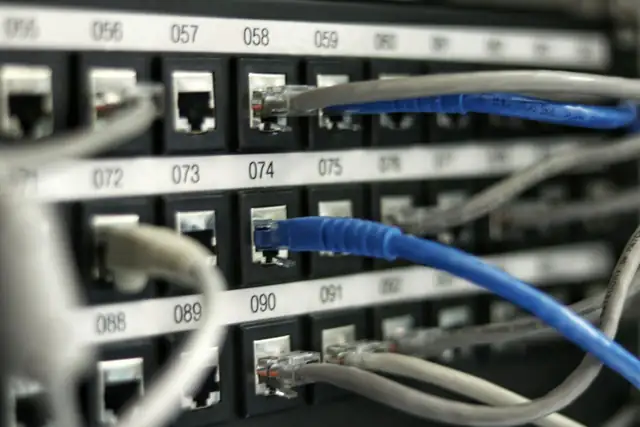
Most network problems are cable problems that nobody labelled.

Read on: it takes a few minutes and could save you a lot more than that.

In this guide you will see:
  • Lock the room and log who goes in.
  • Rack, patch panel and labelled cables.
  • Cooling matters: heat shortens equipment life.
By Qyvea LimitedPublished 2026-10-16Updated 2026-10-162 min read
On this page01. What goes in the room02. Planning steps03. Plan your room04. FAQ
Server Room and Comms Room Setup
Quick answer

A small server or comms room needs a lockable space, a rack with a patch panel and switches, tidy labelled cabling, enough cooling to keep equipment within safe temperatures, clean power with a UPS and surge protection, and basic fire detection. Access control and a camera keep it secure.

Real products, live prices, in stock now
See the actual productsLive prices from the Qyvea store
Shop all router products →

Key takeaways

  • Lock the room and log who goes in.
  • Rack, patch panel and labelled cables.
  • Cooling matters: heat shortens equipment life.
  • UPS and surge protection are essential.
  • Add fire detection and a camera.

01What goes in the room

RackHolds switches, patch panel and servers
Patch panel and labelsEvery cable traceable
CoolingAir conditioning or ventilation sized to the load
UPS and surge protectionClean, backed-up power
Access controlOnly authorised people enter
Fire detectionEarly warning and a plan

02Planning steps

  1. 01
    Choose the spaceDry, cool and away from water pipes.
  2. 02
    Size the rackPlan for growth.
  3. 03
    Plan power and coolingTotal load plus margin.
  4. 04
    Cable and labelNeat, labelled runs.
  5. 05
    Secure and monitorDoor control, camera and alerts.

03Plan your room

When to call a professionalWe design and build comms rooms, including racks, cabling, power and security. Call 0113 301 244 or WhatsApp us.

04Frequently asked questions

Do I need air conditioning?

Most rooms with several devices do; we size cooling to the load.

Can I put the rack in a cupboard?

Only if it has ventilation and access; heat builds quickly.

Do you do fire protection?

Yes; we install fire alarm detection and can discuss suppression options.
Why customers choose Qyvea

Genuine brandsManufacturer warranty on what we sell, so you are not gambling on the box.
One team, start to finishThe people who advise you also install and support it.
Fast answersWhatsApp replies usually within 30 minutes, and delivery within 24 hours in Nairobi.
Easy to buyPay by M-Pesa, bank transfer or card. Free delivery in Nairobi on orders over KES 5,000.
Risk taken off you7-day returns and exchanges on products, and a workmanship warranty on installations.
Customers say soRated 4.6/5 from 57 Google reviews.

Your next step takes one minute: send us a photo of the place on WhatsApp and we will tell you what it needs.

Related articles

Networking & IT · Guide
Network Racks & Patch Panels
Rack sizes, wall vs floor cabinets, cable management, ventilation and power: how to keep network and CCTV equipment organised and cool.
2 min readREAD FULL ARTICLE →
Networking & IT · Technology Explained
Structured Cabling Explained
Why a tidy, labelled, tested cabling system saves money for the life of a building, and what it consists of.
2 min readREAD FULL ARTICLE →
Networking & IT · Technology Explained
NAS and Business Backup
If your files live on one computer, they are one failure from gone. Follow the 3-2-1 rule.
2 min readREAD FULL ARTICLE →
← PreviousRouter Keeps Disconnecting? How to Find the CauseNext →Should My Business Use a 4G Router or Fibre?

Need this system installed?

Talk to Qyvea. We design, install and maintain it.

Chat with us — 30 min response