
Networking & IT · Troubleshooting

Router Keeps Disconnecting? How to Find the Cause

Power, heat, ISP line or settings: narrow down why the connection keeps dropping.

Every day this stays broken costs you more than the repair would.

Read on: it takes a few minutes and could save you a lot more than that.

In this guide you will see:
  • Check whether the ISP light drops too.
  • Power dips reboot routers: put them on a UPS.
  • Overheating routers in cabinets drop often.
By Qyvea LimitedPublished 2026-10-08Updated 2026-10-083 min read
On this page01. Quick checks you can do first02. What usually causes it03. When to call a technician04. Parts that fix it05. FAQ
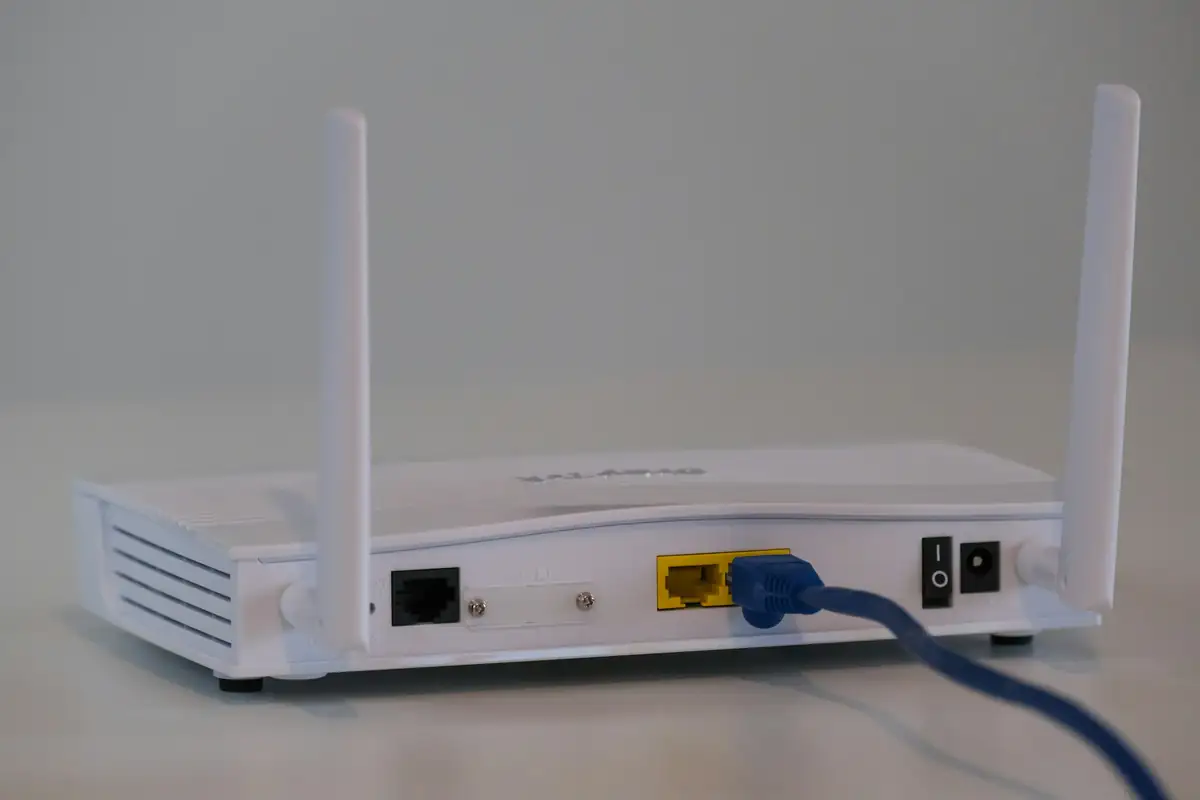
Router with network cables
Quick answer

Frequent disconnections come from four places: the ISP line, the router itself (overheating, old firmware, failing power adapter), power dips, and local network problems such as IP conflicts. Check whether only Wi-Fi drops or the internet light on the ISP box goes off too. That one check tells you whether to call the ISP or fix your own network.

Real products, live prices, in stock now
See the actual productsLive prices from the Qyvea store
Shop all routers →

Key takeaways

  • Check whether the ISP light drops too.
  • Power dips reboot routers: put them on a UPS.
  • Overheating routers in cabinets drop often.
  • Old firmware causes random drops.
  • IP conflicts drop single devices.

01Quick checks you can do first

  1. 01
    Watch the lightsIf the ISP's internet or LOS light goes off, the problem is the line. Call your ISP.
  2. 02
    Put it on a UPSEven a short dip reboots a router. A small UPS keeps it running.
  3. 03
    Give it airMove it out of cabinets and away from TVs and decoders.
  4. 04
    Update firmwareCheck the admin page or app for updates.
  5. 05
    Check one device or allIf only one device drops, it's that device or an IP conflict.
ImportantSwitch off and isolate power before opening any equipment. Batteries, inverters and mains wiring can cause serious injury; leave internal work to a qualified technician.

02What usually causes it

SymptomLikely causeFix
Internet light goes offISP line faultReport to ISP with times
Router reboots in power dipsNo backup powerSmall UPS for router and ONT
Drops when hot afternoonsOverheatingVentilate or replace
One device dropsIP conflict or device Wi-FiDHCP reservation, update device
Drops with many usersConsumer router overloadedBusiness router or AP

03When to call a technician

  • It's a business and drops affect sales or POS.
  • You have many users or CCTV on the same network.
  • You need a backup internet line (failover).
  • The ISP says the line is fine.
When to call a professionalQyvea technicians diagnose and fix this on site across Nairobi and Kenya. Call 0113 301 244 or WhatsApp a technician.

Running this across several sites or branches? A Qyvea maintenance contract catches these faults on scheduled visits, with a written report after each one.

04Parts that fix it

Routers & mini UPSLive prices from the Qyvea store
Shop all routers →

05Frequently asked questions

Why does my internet drop every evening?

Peak-time congestion on the ISP side, or many devices at home. Test speed at different times and log drops.

Can I have two internet lines that switch automatically?

Yes. A dual-WAN router fails over to a second line (for example Safaricom fibre and Starlink) when one drops.

Does a mini UPS help?

Yes. Routers and ONTs use little power, so a small UPS keeps the internet up through most blackouts.

Why customers choose Qyvea

Genuine brandsManufacturer warranty on what we sell, so you are not gambling on the box.
One team, start to finishThe people who advise you also install and support it.
Fast answersWhatsApp replies usually within 30 minutes, and delivery within 24 hours in Nairobi.
Easy to buyPay by M-Pesa, bank transfer or card. Free delivery in Nairobi on orders over KES 5,000.
Risk taken off you7-day returns and exchanges on products, and a workmanship warranty on installations.
Customers say soRated 4.6/5 from 57 Google reviews.

Your next step takes one minute: send us a photo of the place on WhatsApp and we will tell you what it needs.

Related articles

Networking & IT · Troubleshooting
Wi-Fi Slow or No Signal Upstairs? How to Fix Coverage Properly
Why concrete blocks Wi-Fi and how mesh, access points and cabling fix it.
3 min readREAD FULL ARTICLE →
Networking & IT · Troubleshooting
Office Internet Slow When Everyone Is Online? Fix the Network, Not Just the Package
Why consumer routers choke with many users and what a business network changes.
3 min readREAD FULL ARTICLE →
Networking & IT · Troubleshooting
Starlink Disconnecting or 'Obstructed' in Kenya? Fixes That Work
Placement, obstructions, power and Wi-Fi: keep Starlink connected.
2 min readREAD FULL ARTICLE →
← PreviousRemote CCTV Viewing Network SetupNext →Server Room and Comms Room Setup

Still experiencing the problem?

Qyvea can inspect and diagnose the system on site.

Chat with us — 30 min response