
CCTV · Guide

How to Connect a CCTV Camera to Your Phone

The right app for each brand, what the recorder needs, and how to fix it when viewing fails.

Most people only find out what their cameras missed on the day they needed them.

Read on: it takes a few minutes and could save you a lot more than that.

In this guide you will see:
  • The recorder needs internet (router or 4G).
  • Use the brand's own app.
  • Enable P2P/cloud service on the recorder.
By Qyvea LimitedPublished 2026-10-07Updated 2026-10-072 min read
On this page01. Which app for which system02. Steps for a DVR/NVR03. When it won't connect04. FAQ
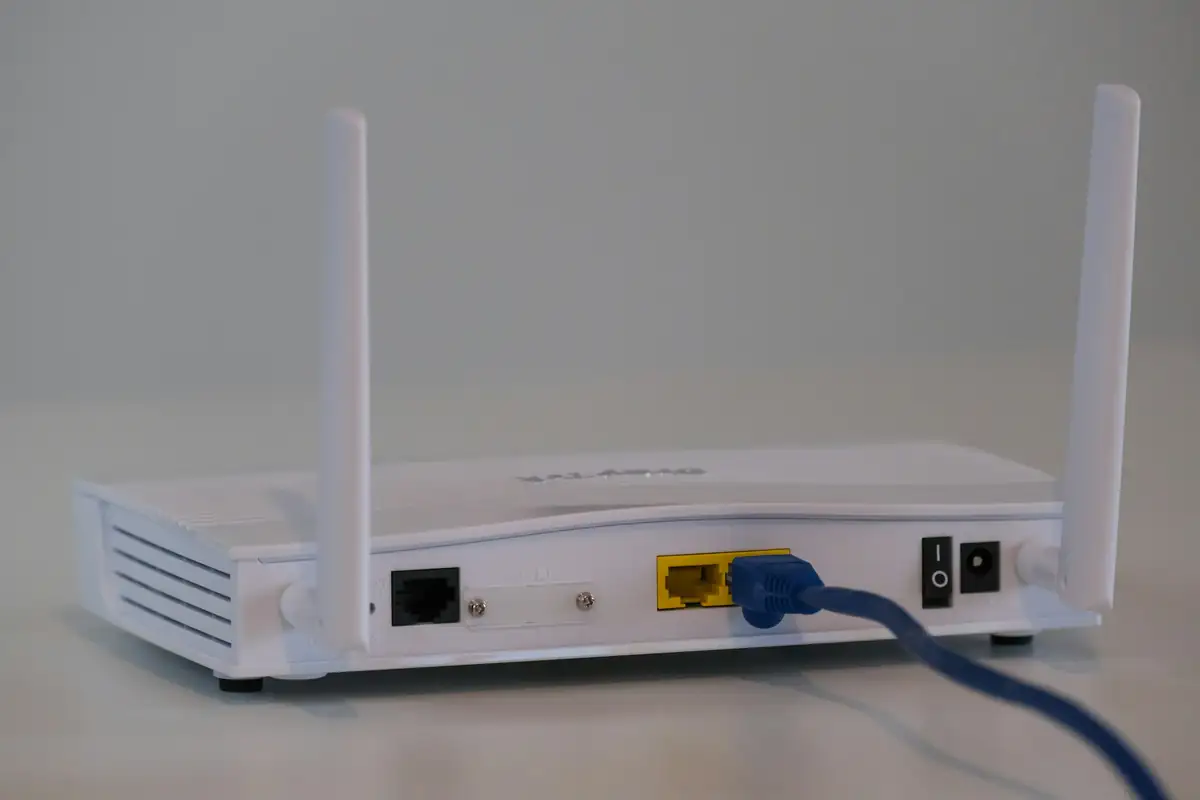
Internet router
Quick answer

To view CCTV on your phone, the recorder (DVR/NVR) or Wi-Fi camera must be connected to the internet, and you add it to the brand's app: Hik-Connect for Hikvision, DMSS for Dahua, V380 Pro for V380 cameras and Tapo for TP-Link. You enable the cloud (P2P) service on the recorder, scan its QR code in the app, and enter the device verification code.

Real products, live prices, in stock now
See the actual productsLive prices from the Qyvea store
Shop all camera products →

Key takeaways

  • The recorder needs internet (router or 4G).
  • Use the brand's own app.
  • Enable P2P/cloud service on the recorder.
  • Scan the QR code from the recorder's network menu.
  • Use sub-stream on mobile data.

01Which app for which system

SystemPhone app
Hikvision DVR/NVR/cameraHik-Connect
Dahua DVR/NVR/cameraDMSS
V380 Wi-Fi and bulb camerasV380 Pro
TP-Link Tapo camerasTapo

02Steps for a DVR/NVR

  1. 01
    Connect the recorder to the routerWith a network cable; a 4G router works where there's no fibre.
  2. 02
    Check network statusOn the recorder: Network settings, DHCP on, status online.
  3. 03
    Enable the cloud serviceHik-Connect (Platform Access) or P2P for Dahua; set a verification code.
  4. 04
    Scan the QR codeAdd device in the app and scan the QR shown on the recorder.
  5. 05
    Test on mobile dataTurn Wi-Fi off on the phone to confirm remote viewing works.

Hikvision detail: Hik-Connect guide. Wi-Fi cameras: V380 setup.

03When it won't connect

  • Recorder shows offline: check cable, router and internet
  • Wrong verification code: reset it on the recorder
  • Works on Wi-Fi only: the cloud service isn't enabled
  • Slow or freezing video: switch to sub-stream

More fixes: CCTV not showing on phone. Call 0113 301 244 or WhatsApp us.

04Frequently asked questions

Can I view CCTV on my phone without internet at the site?

Not remotely. Add a 4G router, or view on a monitor on site.

Can several family members view the cameras?

Yes, share the device from the app instead of sharing your login.

Is phone viewing free?

The apps are free; the site's internet and your phone data cost money.

Why customers choose Qyvea

Genuine brandsManufacturer warranty on what we sell, so you are not gambling on the box.
One team, start to finishThe people who advise you also install and support it.
Fast answersWhatsApp replies usually within 30 minutes, and delivery within 24 hours in Nairobi.
Easy to buyPay by M-Pesa, bank transfer or card. Free delivery in Nairobi on orders over KES 5,000.
Risk taken off you7-day returns and exchanges on products, and a workmanship warranty on installations.
Customers say soRated 4.6/5 from 57 Google reviews.

Your next step takes one minute: send us a photo of the place on WhatsApp and we will tell you what it needs.

Related articles

CCTV · Guide
Hik-Connect: How to View Hikvision CCTV on Your Phone
What Hik-Connect needs to work, how live view, playback and alerts work, how much data it uses, and what to check when it stops connecting.
2 min readREAD FULL ARTICLE →
CCTV · Troubleshooting
CCTV Not Showing on Phone
Remote viewing stopped working? Checks for the app, the internet connection and the recorder.
2 min readREAD FULL ARTICLE →
CCTV · Guide
V380 Camera Setup: Connect to Wi-Fi and Your Phone
Add a V380 camera to the V380 Pro app, fix the usual pairing problems and secure it.
2 min readREAD FULL ARTICLE →
← PreviousHow Should a Clinic or Hospital Use CCTV in Kenya?Next →Is Dahua Good? Dahua vs Hikvision for Kenyan Homes and Businesses

Need this system installed?

Talk to Qyvea. We design, install and maintain it.

Chat with us — 30 min response