Quick answer
When a networked device shows offline, work up from the physical layer: is it powered, is the cable and port good, does the switch show a link, and does the device still have the right IP address? Most offline devices come back after fixing power, a loose patch lead, an IP conflict or a router change.
Real products, live prices, in stock now
See the actual productsLive prices from the Qyvea store
Shop all router products →Key takeaways
- Check power, cable and link lights first.
- One device offline: usually its cable, port or address.
- Everything offline: switch, router, power or ISP.
- Recent change? New router, power cut, storm?
- Keep an address list to spot conflicts.
01Narrow it down
| What's offline | Most likely |
|---|---|
| One device | Its power, cable, port or IP address |
| Everything on one switch | That switch or its power |
| Everything | Router, main switch, power or ISP |
| Only remote access | Internet or router, not the device |
| Wi-Fi devices only | Wi-Fi access point or signal |
02Safe checks
- 01Is it powered?Lights on the device? PoE? Adapter?
- 02Link lightsIs the switch port lit for that device?
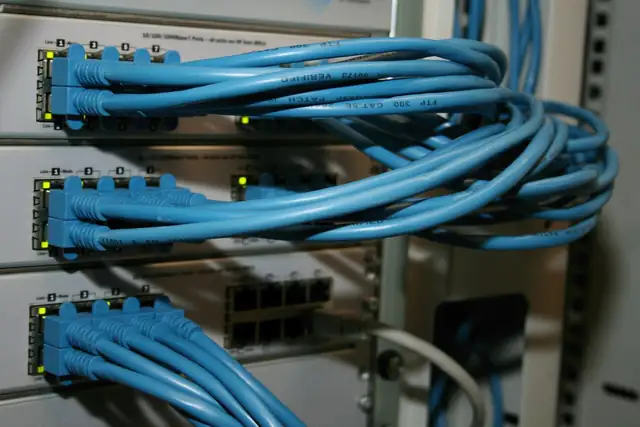
- 03Swap the patch leadAt the rack, try a known-good lead or port
- 04Restart in orderRouter, then switches, then the device
- 05Check for changesNew router, power cut, storm, recent work
WarningDon't open equipment or re-terminate cables yourself. Storm damage often affects several devices at once.
03When to call a professional
Cable faults inside walls, IP conflicts, switch or router configuration and surge damage need a technician. See network switch not working and IP addressing basics.
04Frequently asked questions
Why do devices go offline after a power cut?
Equipment may not restart cleanly, may get new IP addresses, or may have been damaged by a surge.
Why does my device keep dropping in and out?
Common causes are a damaged cable or connector, an IP address conflict or a PoE budget problem.
Can a bad cable look like a device fault?
Yes. A cable can pass a basic link but still drop under load; it needs proper testing.