
Shopping Guides · Guide

Is the Problem Your Wi-Fi or Your Internet? A 3-Minute Test

A simple test that tells you whether to fix your router or call your provider.

Most network problems are cable problems that nobody labelled.

Read on: it takes a few minutes and could save you a lot more than that.

In this guide you will see:
  • Test by LAN cable first.
  • Cable works, Wi-Fi does not: fix Wi-Fi.
  • Both fail: restart, check lights, call the provider.
By Qyvea LimitedPublished 2026-10-07Updated 2026-10-072 min read
On this page01. What to look for before you buy02. Where these figures come from03. Best prices in stock today04. Why buy from Qyvea05. FAQ
Is the Problem Your Wi-Fi or Your Internet? A 3-Minute Test
Quick answer

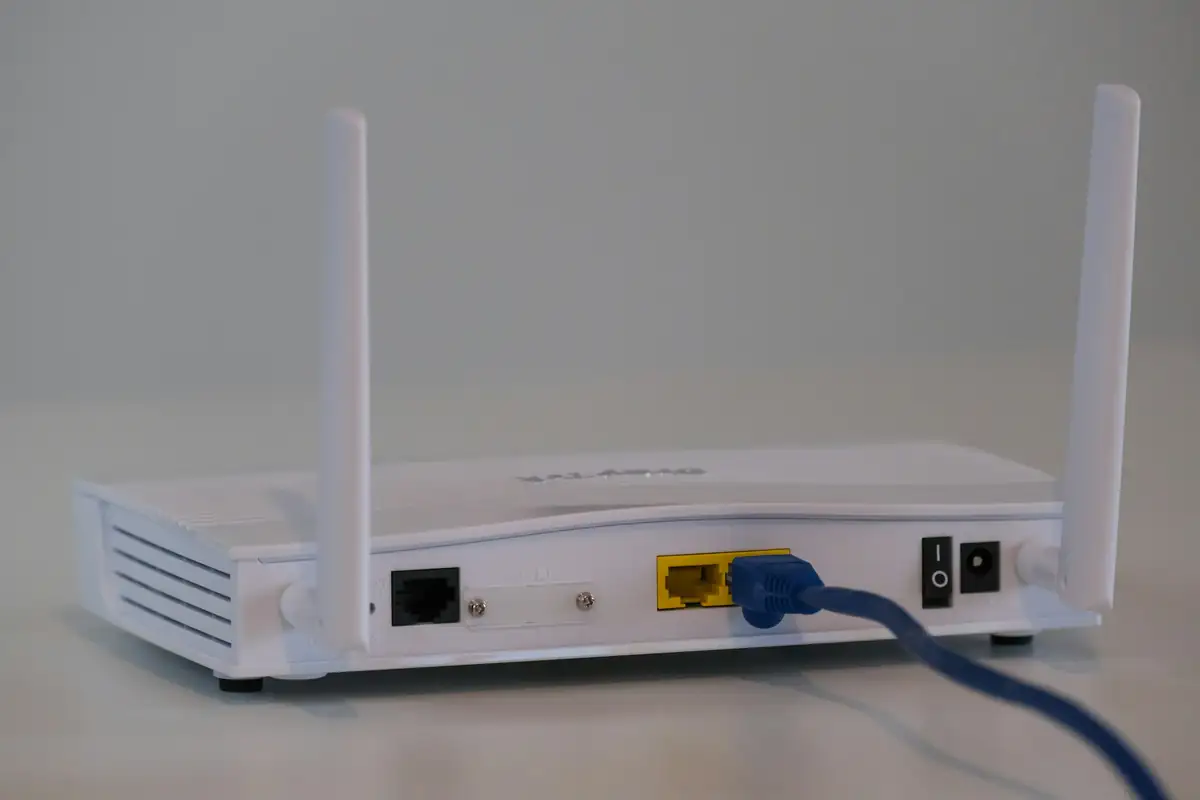
Plug a laptop into a LAN port on the router. If the internet works by cable but not by Wi-Fi, the problem is your Wi-Fi: placement, channel or an old router. If it fails by cable too, check the router lights, restart, and call your provider. Check the provider's social media for outages before you assume the fault is yours.

Real products, live prices, in stock now
See the actual productsLive prices from the Qyvea store
Shop all routers →

Key takeaways

  • Test by LAN cable first.
  • Cable works, Wi-Fi does not: fix Wi-Fi.
  • Both fail: restart, check lights, call the provider.
  • Check for provider outages.

01What to look for before you buy

  1. 01
    Plug in by cableLaptop to a LAN port.
  2. 02
    CompareCable works but Wi-Fi does not = Wi-Fi issue.
  3. 03
    Check router lightsRed or off WAN/PON = line fault.
  4. 04
    Restart for 30 secondsFixes many glitches.
  5. 05
    Check for outagesProvider app or social media.
  6. 06
    Call supportWith your account number.

02Where these figures come from

Figures are indicative and change often; confirm with a written quote. Sources checked October 2026: Zuku modem troubleshooting guide.

03Best prices in stock today

Today's deals on routersLive prices from the Qyvea store
Shop all routers →
RoutersLive prices from the Qyvea store
Shop all routers →
Mesh, extenders and access pointsLive prices from the Qyvea store
Shop all mesh and extenders →

Prices update live from the Qyvea store. Tap any product to see full specs, stock and delivery options, or ask us on WhatsApp for a recommendation.

04Why buy from Qyvea

Why Kenyans buy from Qyvea

  • Genuine branded products sold with the manufacturer's warranty (typically 6–24 months, varies by product)
  • 7-day returns and exchanges; damaged or wrong item? Report it within 48 hours for a free replacement or full refund
  • Pay with M-Pesa, bank transfer or card; refunds go back the same way
  • Free delivery in Nairobi on orders over KES 5,000, and delivery across Kenya
  • Delivered to your door, dispatched once payment is confirmed, rated 4.6/5 from 57 Google reviews (bought from us? leave a review)
  • Talk to a person on WhatsApp 0113 301 244, usually within 30 minutes

Full details: return & refund policy.

05Frequently asked questions

What if the cable test is slow too?

Then the line or package is the limit; contact your provider.

Does restarting really help?

It clears many temporary glitches, but is not a cure for placement or hardware problems.

Why customers choose Qyvea

Genuine brandsManufacturer warranty on what we sell, so you are not gambling on the box.
One team, start to finishThe people who advise you also install and support it.
Fast answersWhatsApp replies usually within 30 minutes, and delivery within 24 hours in Nairobi.
Easy to buyPay by M-Pesa, bank transfer or card. Free delivery in Nairobi on orders over KES 5,000.
Risk taken off you7-day returns and exchanges on products, and a workmanship warranty on installations.
Customers say soRated 4.6/5 from 57 Google reviews.

Your next step takes one minute: send us a photo of the place on WhatsApp and we will tell you what it needs.

Related articles

Shopping Guides · Guide
Why Is My Wi-Fi So Slow? 7 Fixes That Work
Seven fixes in order, from free to buying a new router.
2 min readREAD FULL ARTICLE →
Networking & IT · Guide
How to Improve Your Wi-Fi Signal
Free fixes first, then the right hardware for thick Kenyan walls and multi-storey homes.
2 min readREAD FULL ARTICLE →
Networking & IT · Troubleshooting
Router Keeps Disconnecting? How to Find the Cause
Power, heat, ISP line or settings: narrow down why the connection keeps dropping.
3 min readREAD FULL ARTICLE →
← PreviousIs a Money Counter Worth It for My Business?Next →Juicer Prices in Kenya: Centrifugal, Slow Juicers & Citrus Presses

Want help choosing?

Send us your budget on WhatsApp and we'll suggest what's in stock, with delivery across Kenya.

Chat with us — 30 min response